
Material registry
Connect each decision to observed material evidence and the context needed to act.
Material intelligence software
Review material records, journeys, exceptions, device health and reconciliation context.
Operational focus
Connect each decision to observed material evidence and the context needed to act.
Connect each decision to observed material evidence and the context needed to act.
Connect each decision to observed material evidence and the context needed to act.
Inside the web application
The MuckPuck web application is the dashboard half of the MuckPuck Real-time Muck Tracking System, used for tag registration, user and inventory management, data visualization and analytics.
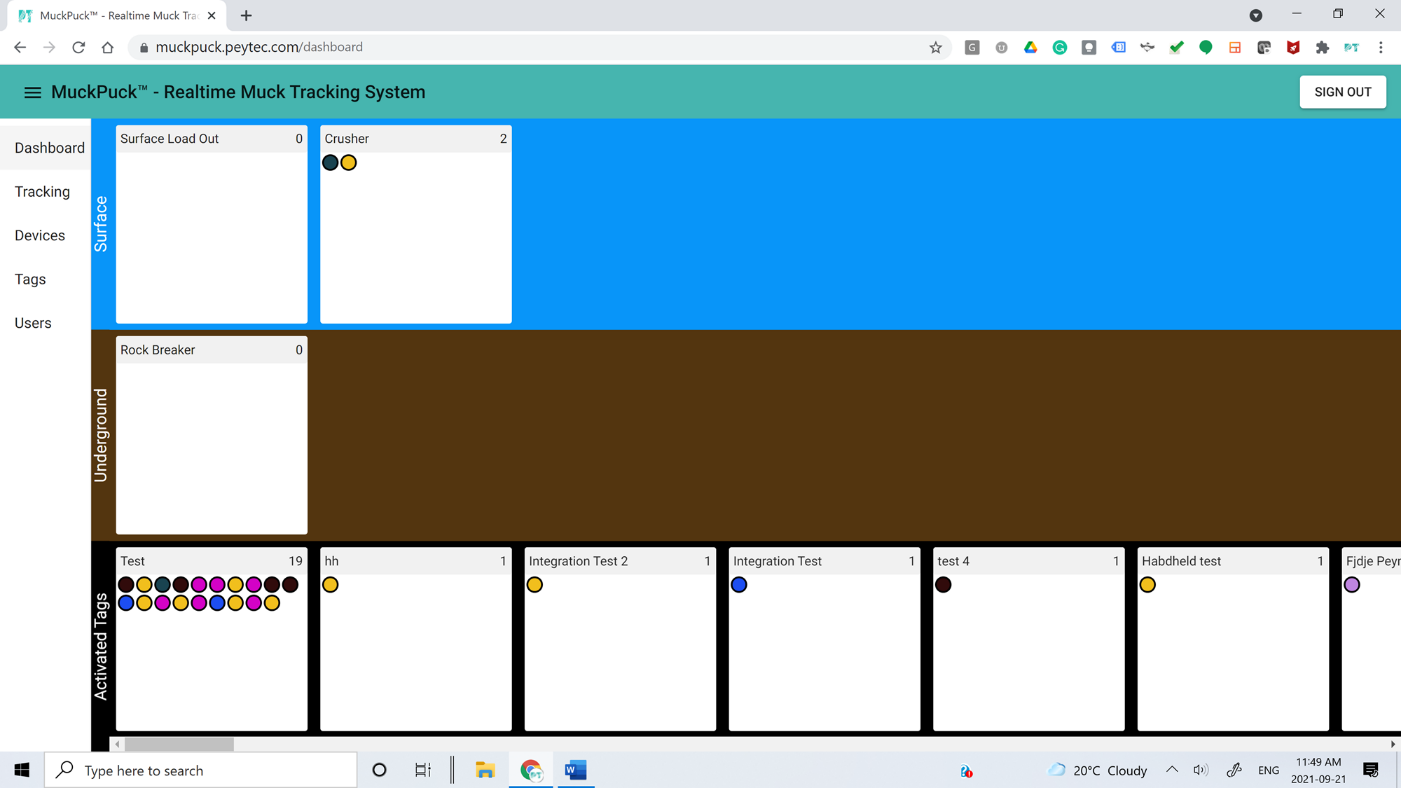
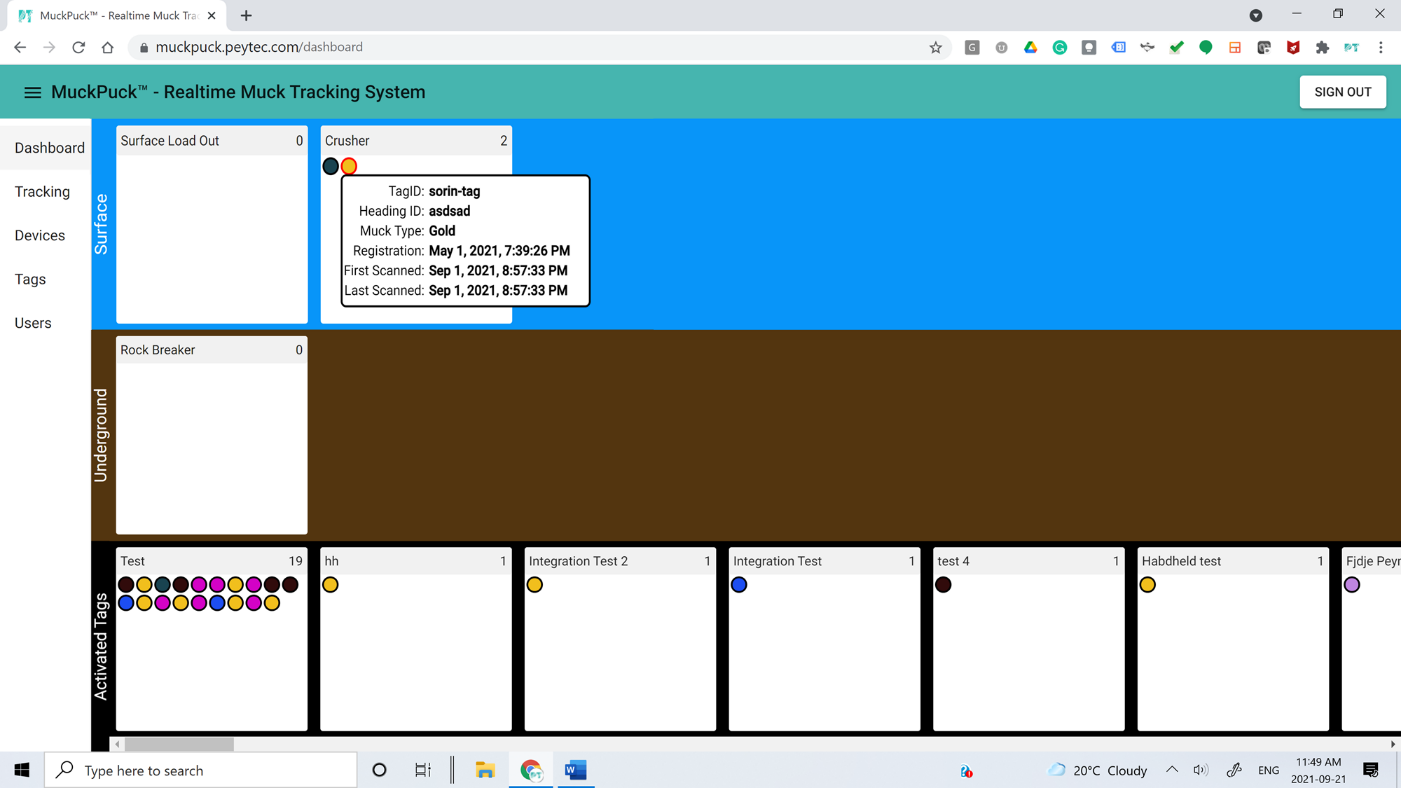
A real-time snapshot of where every muck pile sits across the site, grouped by surface zones, underground zones and activated tags. Hover a tag to see its tag ID, heading ID, muck type, registration time and the times it entered and left a zone.
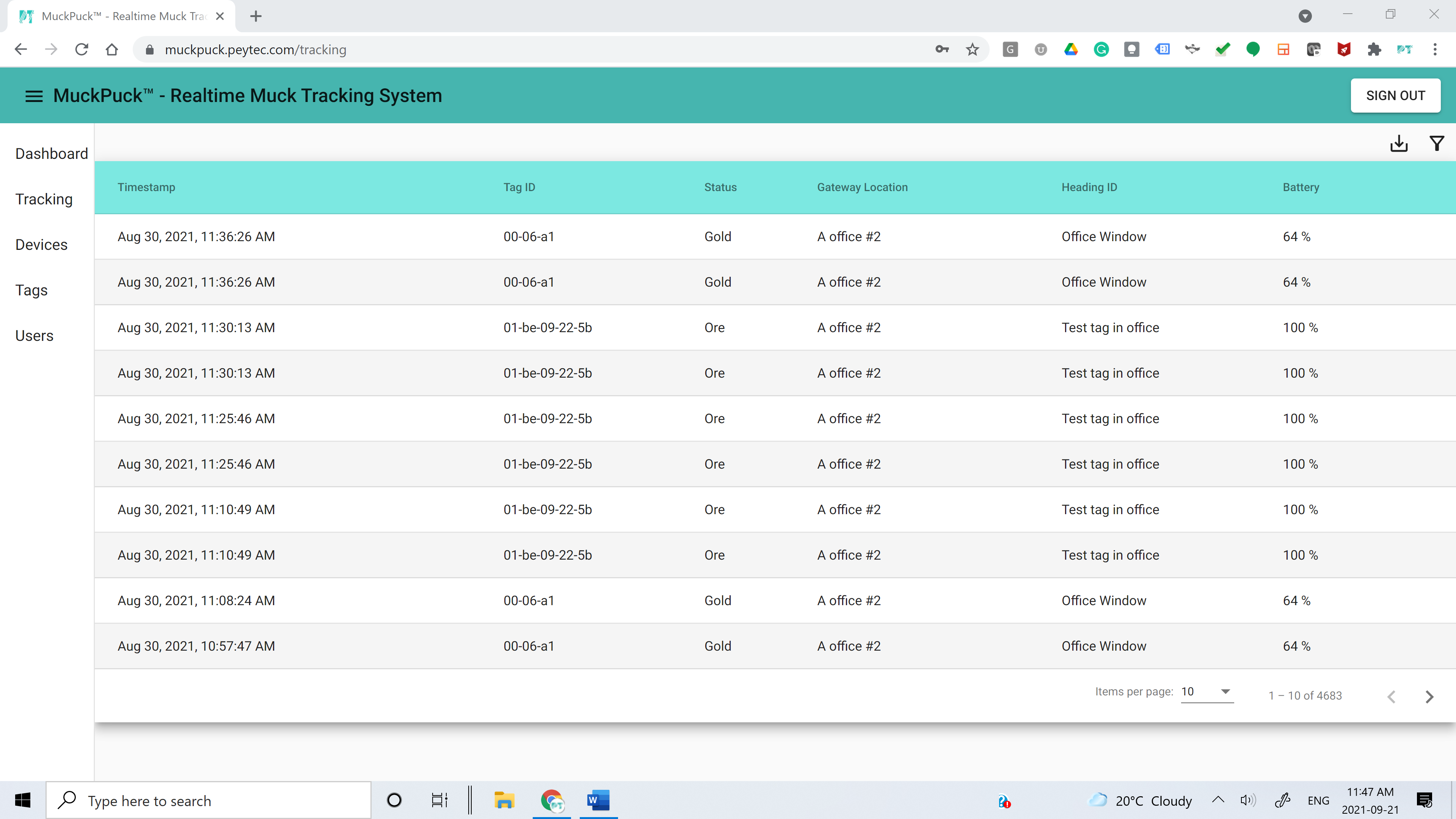
The full history of every MuckPuck tag: timestamp, tag ID, muck status, gateway location, heading ID and remaining battery. Filter the record and export it for reporting or reconciliation.
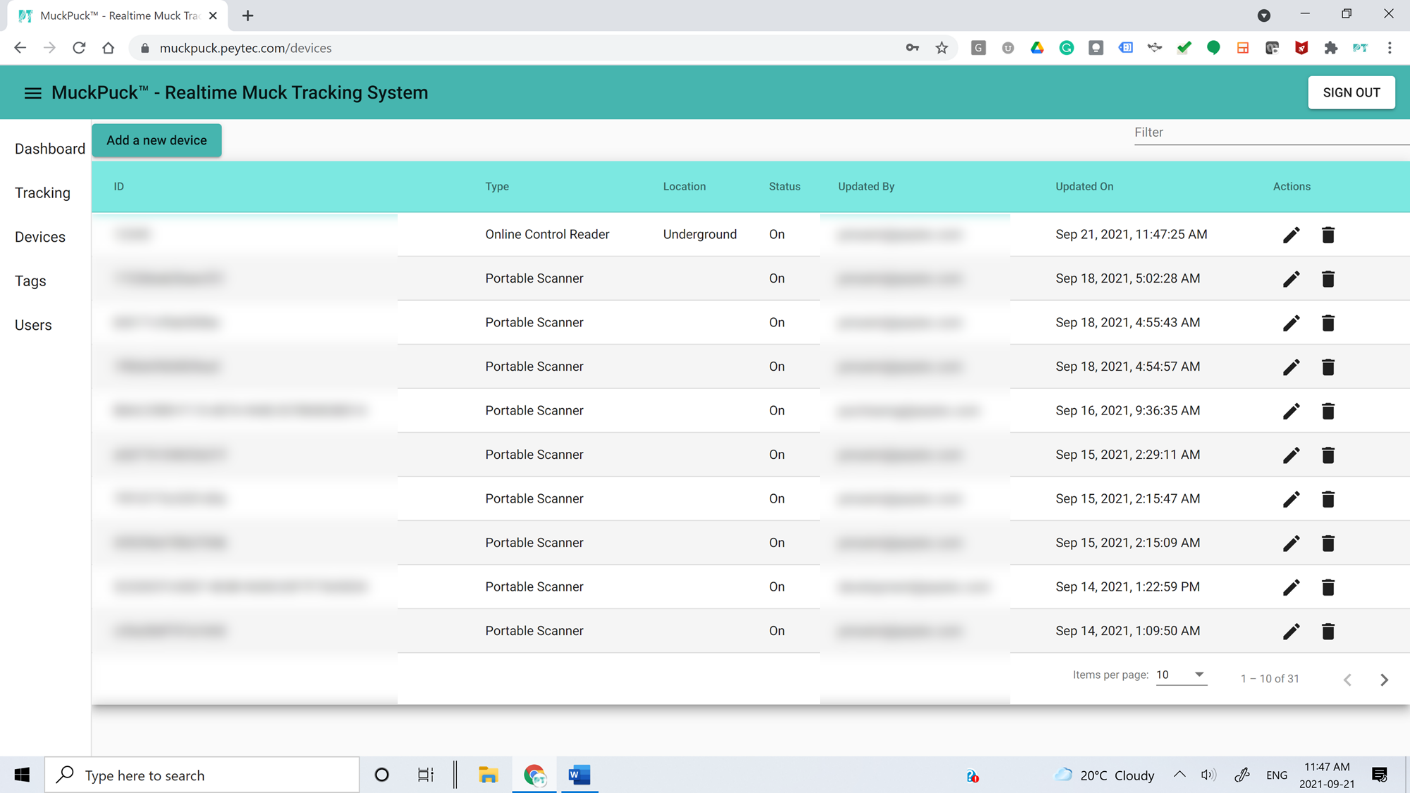
Every Smart Gateway, Online Control Reader and Portable Scanner connected to the platform, with unique ID, location, status and a full record of who changed what and when. Devices are added, edited or removed directly in the browser.
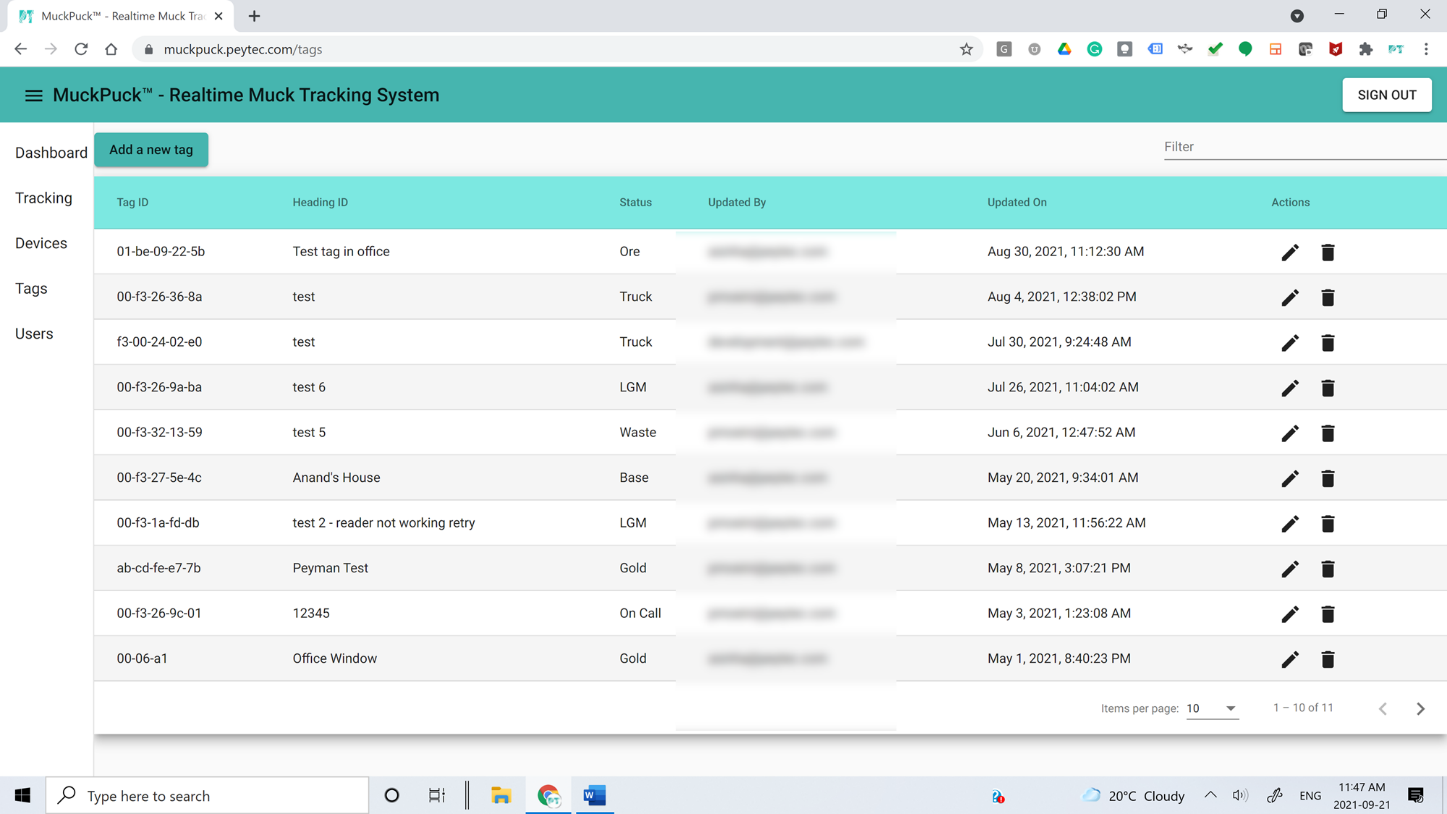
Tags are registered from the web application or from the mobile app. Tag ID, heading ID, muck type and registration time are all available, alongside a log of who registered each tag and every change made since.
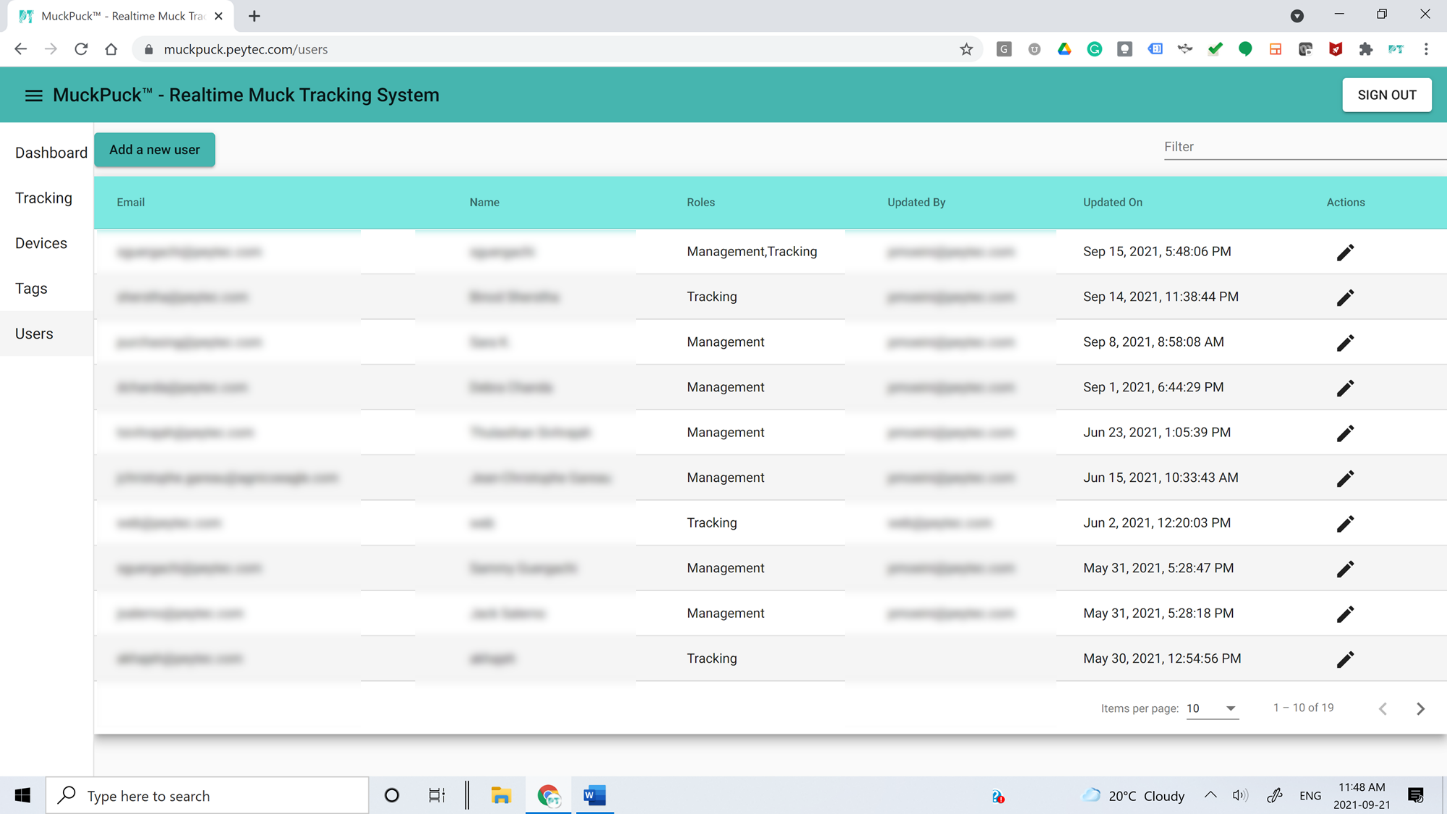
Role-based user management with access tailored to Management, Geology, IT/OT and Human Resources. New users are added directly through the secure web application.
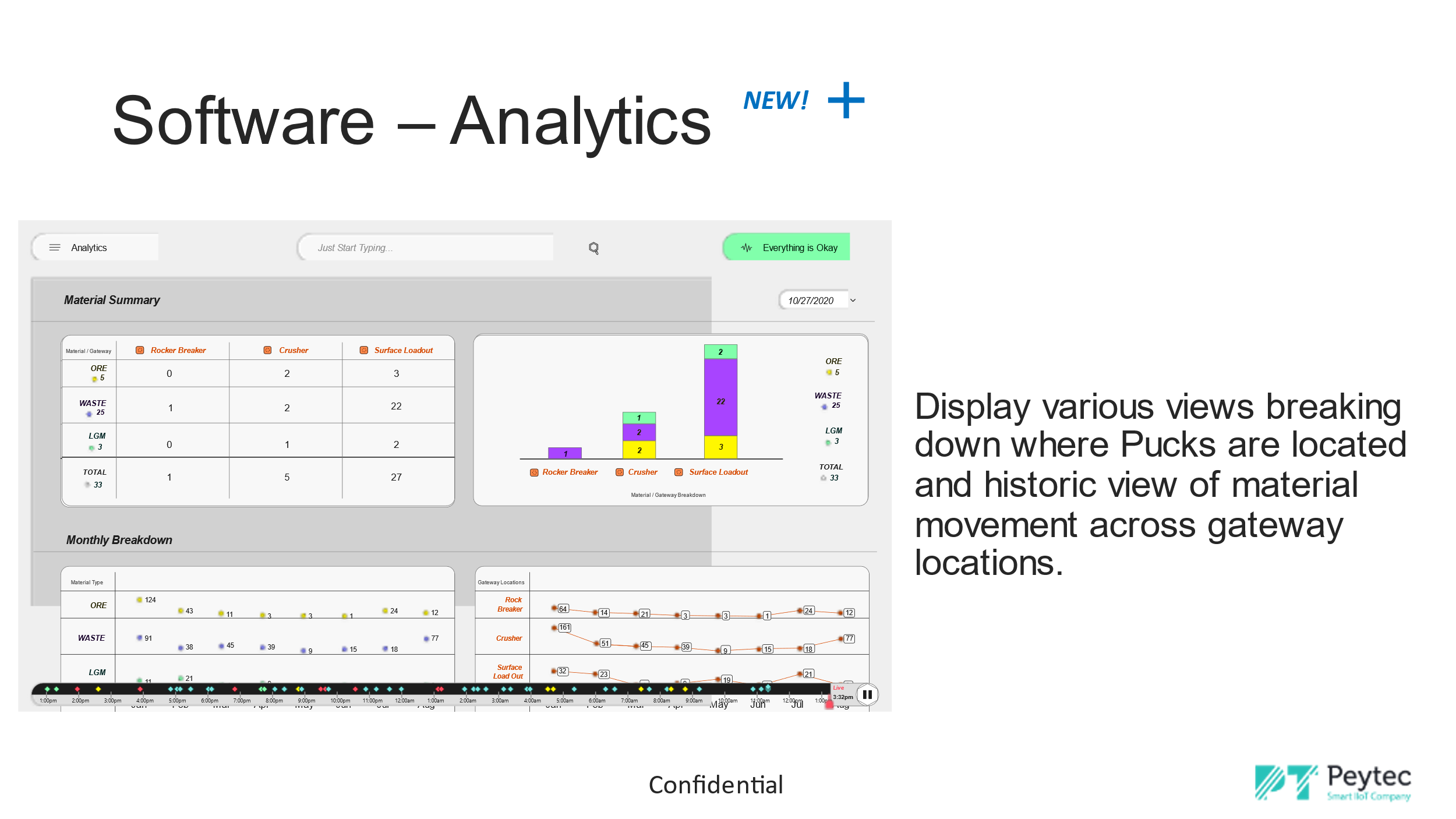
Material summaries by gateway location and monthly or daily breakdowns of ore, waste and low-grade material, so teams can see both current position and historic movement.
The web application runs on secure Amazon Web Services infrastructure, with individual sign-in and company single sign-on (SSO).
Application screens
The dashboard places each activated tag in the zone where it was last detected, so teams can see material position at a glance and open any tag for its full history.
Upcoming release
Analytics views break down where pucks are located and how material has moved across gateway locations, by summary and by month or day.
Product detail
MuckPuck Web Application, Revision 1
Review material records, journeys, exceptions, device health and reconciliation context.
Runs in any modern web browser, with no installation. It receives data from Smart Gateways, Control Readers, Portable Scanners and the MuckPuck mobile application.
Hosted on Amazon Web Services with individual user accounts, single sign-on and role-based access for Management, Geology, IT/OT and Human Resources.
Next step